Getting started with Klaviyo
This guide covers the Faslet to Klaviyo setup needed to start syncing Faslet properties.
Once the integration is active, Faslet updates Klaviyo profiles with sizing data collected during the popup flow. That data can then be used in Klaviyo for segmentation, flow filters, campaign targeting, and other profile-based marketing workflows.
A Faslet account and a Klaviyo account are both required for this integration.
Overview
The setup has three parts: account connection, PDP setup, and verification. Start by connecting the Klaviyo account Faslet should update. Then configure PDP setup so Faslet can identify the right shopper profile more reliably. Finish by verifying that Faslet properties are arriving in Klaviyo as expected.
PDP setup requires a developer, but it is optional. We still recommend it because it improves overall event coverage. When profile_id is available, Faslet can reliably send the event for that shopper. Without it, Faslet falls back to the Klaviyo cookie when one is present. Because not every shopper has that cookie, PDP setup usually leads to broader coverage.
Account connection
Start by connecting the Klaviyo account Faslet should update for this store.
- Go to the Faslet App Marketplace.
- Change All stores, at the right side of the top bar, to the store being integrated. That store's service connections will appear.
- Find Klaviyo and click Connect. The flow will redirect to Klaviyo.
- Complete the authorization flow.
- Once the authorization flow is complete, the connection is ready to use.
PDP setup
After the account connection is in place, update the storefront so Faslet can identify the correct Klaviyo profile when a shopper completes the popup.
Direct storefront setup is only available for custom html integrations. For react, npm, or php packages, contact Faslet support to enable this.
For custom html integrations
Add the current shopper's Klaviyo profile identifier to the Faslet widget markup:
<faslet-app ... cdp-contact-id="{{profile_id}}"></faslet-app>
Faslet uses this identifier to look up the correct Klaviyo profile before updating profile properties. This gives Faslet a more reliable way to match shopper activity than relying on the Klaviyo cookie alone.
Verify the installation
After the connection is active and PDP setup is in place, run a quick live check to confirm that Faslet data is reaching Klaviyo.
- Make sure the Klaviyo integration is already configured in the Faslet portal.
- Make sure at least one shopper has completed the Faslet size-me flow so there is data to check.
Check a single profile
Use this method to confirm that profile updates are working for an individual shopper.
- Open the Profiles page in Klaviyo.
All profiles are visible here, but this page cannot filter down to only shoppers with Faslet data.
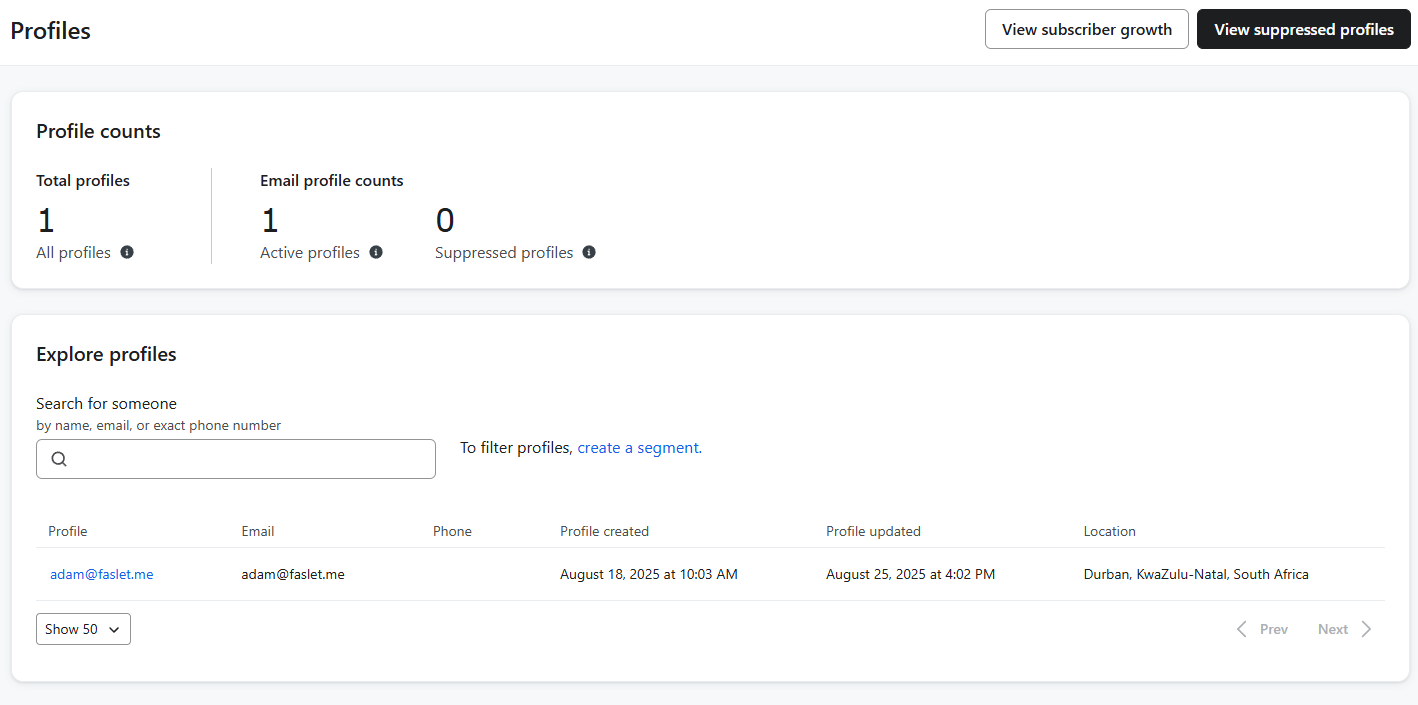
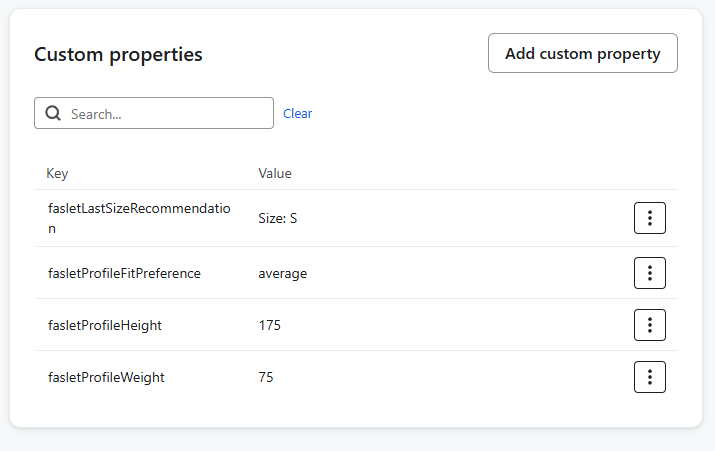
- Select a profile email address to inspect the profile details.
- Confirm that Faslet properties are visible on the profile when data has already been synced.
Count profiles with Faslet data
Use this method to confirm that Klaviyo has received Faslet data for one or more profiles.
- Open the Profiles page in Klaviyo.
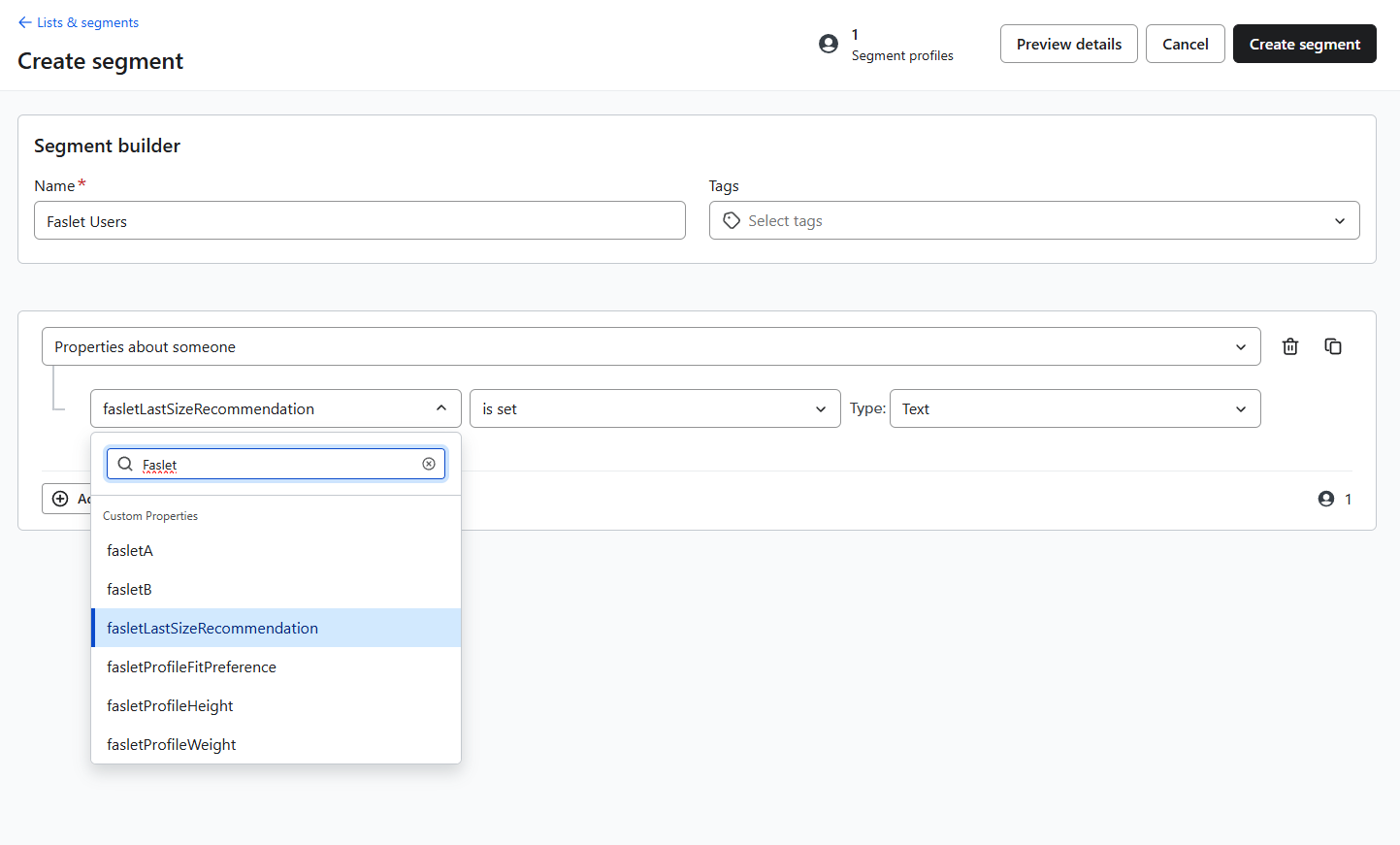
- Click Create a segment from the profiles view.
- (Optional) Give the segment a clear name if it should be saved.
- Click Select a condition.
- Choose Properties about someone.
- Click Select a property.
- Search for
faslet. - Choose any property that starts with
faslet. - Change the operator from equals to is set.
The number of profiles that meet this condition appears next to the Preview details button.
Save a reusable segment
To keep this audience for later use:
- Follow the steps from the previous section.
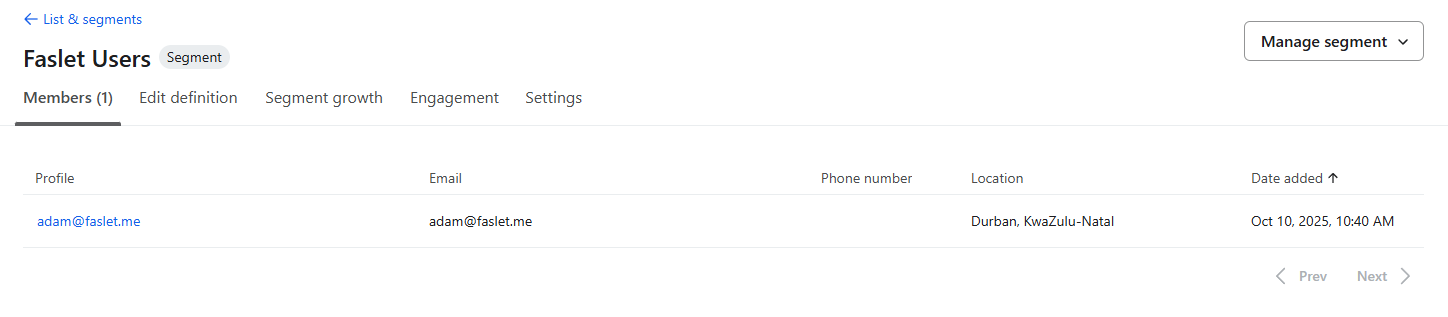
- Click Create segment.
The saved segment will then appear in Klaviyo lists and segments. It can be used for campaign targeting, flow filters, or further segmentation based on specific Faslet properties.
For the exact Klaviyo property keys and their mapping to the general shopper fields in Customer Data Platforms, see Klaviyo data reference.